


UNDOOMED vs Freedom: Detailed Comparison 2025
Complete comparison of UNDOOMED and Freedom. Which digital wellbeing app is right for you?
You've decided to take control of your digital life. You're tired of endless scrolling, tired of wasted hours, tired of feeling controlled by apps engineered to capture your attention. You need help—technological assistance to enforce the boundaries willpower alone can't maintain.
Two apps dominate recommendations: UNDOOMED and Freedom. Both promise to block distracting apps and websites. Both have passionate advocates. Both cost money. Only one aligns with your specific needs.
This comparison cuts through marketing language to examine what each app actually delivers, how they differ meaningfully, and which scenarios favor one over the other. We're biased—we built UNDOOMED—but we'll represent Freedom accurately. You deserve honest information to make an informed choice.
The right blocking app depends on your devices, your primary distractions, and your approach to digital wellbeing. Let's examine both in detail.

Platform Coverage
Where you need blocking determines which app works.
Freedom: Cross-Platform Veteran
Freedom works across Windows, Mac, iOS, Android, and Chrome. This comprehensive platform support is Freedom's signature strength.
Desktop dominance means robust blocking on computers where many professionals spend most working hours. Install Freedom, block distracting websites during work, increase productivity immediately.
Mobile coverage extends to both iOS and Android with app and website blocking.
Synchronized sessions let you start a block on your phone that applies to your laptop simultaneously. Start a writing session, block social media everywhere with one tap.
Chrome extension blocks websites at browser level for users who want lightweight laptop protection without full desktop app.
UNDOOMED: Mobile-First Precision
UNDOOMED currently focuses exclusively on mobile—iOS and Android—with exceptional depth.
Mobile addiction targeted recognizes that phone-based scrolling drives most problematic digital behavior for most users.
No desktop version yet means UNDOOMED won't help if your primary distraction is procrastinating on your laptop.
Coming web blocker extends UNDOOMED protection to browsers, addressing the common workaround of accessing blocked mobile apps via web browser.
Platform Verdict
Choose Freedom if: You need comprehensive blocking across multiple device types, especially desktop computers. Writers, programmers, designers, and knowledge workers who struggle with desktop distractions benefit enormously from Freedom's computer support.
Choose UNDOOMED if: Your primary issue is phone-based scrolling—social media apps, short-form video, mobile games. Most people under 40 describe their phone as their main digital distraction. For them, UNDOOMED's mobile focus is feature, not limitation.
Blocking Granularity
How precisely you can target specific app features determines effectiveness against modern social platforms.
Freedom: App-Level Blocking
Freedom blocks entire apps or entire websites. Instagram gets blocked completely or not at all. YouTube is accessible or not accessible.
All-or-nothing approach works well for genuinely addictive apps you should avoid entirely. If TikTok offers you zero value, blocking it completely makes sense.
Utility loss becomes problematic when apps serve both productive and addictive purposes. Block YouTube entirely and you lose educational content, music, and tutorials along with the addictive homepage recommendations.
Instagram dilemma exemplifies the issue. You might need Instagram Direct Messages for communication while Instagram Reels waste your time. Freedom makes you choose: keep both or lose both.
Website blocking offers more granularity. Block reddit.com but allow reddit.com/r/specificsubreddit. This URL-level control helps, but most mobile addiction happens in apps, not browsers.
UNDOOMED: Feature-Level Precision
UNDOOMED pioneered feature-level blocking, letting you disable specific app features while maintaining others.
Surgical removal of addictive features preserves utility. Block Instagram Reels, Explore, and Feed while keeping Direct Messages. Block YouTube homepage and Shorts while maintaining search and subscriptions.
TikTok granularity lets you block For You page while allowing Following feed—narrowing infinite algorithmic recommendations to finite creator subscriptions.
Reddit control means blocking Popular and All feeds while permitting specific subreddit access.
Messaging preservation across all platforms ensures you stay connected to real people while avoiding algorithmic feeds designed for maximum engagement.
Granularity Verdict
Choose Freedom if: You benefit from complete app removal. Some apps genuinely offer no value—mobile games, certain social platforms, news sites that trigger doomscrolling.
Choose UNDOOMED if: You need apps for legitimate purposes but specific features trap you in endless scrolling. Most modern apps bundle utility with addiction. Feature-level blocking extracts value without harm.

Scheduling and Automation
Effective blocking requires minimal daily decisions. Automation matters.
Freedom: Flexible Scheduling
Freedom offers robust scheduling with recurring sessions and custom timing.
Recurring sessions run automatically on schedules you define. Monday through Friday, 9 AM to 5 PM: work mode with all social media blocked. Weekends: different rules.
Multiple schedules let you create "Deep Work," "Evening Wind-Down," and "Weekend Balance" modes, each with different blocklists and times.
Locked mode prevents you from stopping sessions early, removing the override temptation that makes soft blocking ineffective.
Session stacking allows overlapping schedules for complex weekly rhythms.
UNDOOMED: Time-Based Intelligence
UNDOOMED similarly emphasizes scheduling but adds contextual intelligence.
Smart scheduling suggests vulnerable hours based on usage patterns. If you doom-scroll every night 10 PM to midnight, UNDOOMED notices and suggests blocks.
Calendar integration (coming soon) will sync blocks with work meetings, classes, or deep focus blocks on your calendar.
Multiple schedule support like Freedom—different rules for workdays, weekends, specific activities.
Strict enforcement without override options during active blocks. When you're vulnerable at night, morning-you's decisions prevail.
Scheduling Verdict
Choose Freedom if: You have complex, multi-device scheduling needs. Block social media on phone and laptop during work, email in evenings, news sites during deep work sessions—all automated.
Choose UNDOOMED if: Your primary need is mobile scheduling with intelligent suggestions. The upcoming calendar integration will add significant value for students and professionals with structured schedules.
Draw: Both apps handle scheduling well. Neither offers meaningful advantage here unless Freedom's cross-device synchronized scheduling matches your workflow.
Bypass Prevention
Blocking only works if circumvention requires meaningful effort.
Freedom: Strong Desktop, Vulnerable Mobile
Freedom's bypass protection varies by platform.
Desktop enforcement is robust. Uninstalling Freedom on Mac or Windows during active session requires significant technical knowledge. For most users, bypassing becomes impractical.
Locked mode on desktop makes stopping sessions early extremely difficult, even by design. You set a session for four hours; you get four hours.
Mobile limitations reveal weakness. On iOS and Android, Freedom operates within OS restrictions that allow determined users to disable blocking through system settings.
VPN workarounds can circumvent Freedom on some devices by routing traffic around Freedom's blocking mechanism.
Deletion and reinstallation on mobile remains possible, though inconvenient. A truly determined addict can remove Freedom, scroll for an hour, reinstall, resume blocking.
UNDOOMED: Mobile Lockdown
UNDOOMED prioritizes bypass prevention on mobile where most addiction occurs.
System-level integration on iOS and Android makes UNDOOMED extremely difficult to bypass without factory reset.
No mid-session cancellation means active blocks stay active until schedule completes. Can't sweet-talk your way out of your own rules.
Uninstall protection prevents app deletion during active blocks on Android. iOS restrictions limit what any app can enforce, but UNDOOMED maximizes available protections.
Browser blocking (coming) will close the common workaround of accessing blocked apps via mobile web browsers.
Bypass Prevention Verdict
Choose Freedom if: Your main struggles are desktop-based and you need locked-mode desktop sessions that can't be broken.
Choose UNDOOMED if: You're serious about preventing mobile circumvention. Phone addiction drives most problematic use; UNDOOMED's mobile enforcement is correspondingly stronger.
Consideration: No app prevents factory reset or creating new user accounts. True addiction finds workarounds. Both apps make circumvention annoying enough to interrupt compulsion and trigger conscious choice.

User Experience
Daily interaction matters. Frustrating interfaces reduce adherence.
Freedom: Clean and Functional
Freedom's interface emphasizes simplicity and clarity.
Dashboard overview shows active sessions, upcoming blocks, total time blocked—quantified progress motivates continued use.
Quick session starts let you launch preconfigured blocks with one tap. Feeling distracted? Tap "Deep Work" and get two hours of enforced focus.
Blocklist management is straightforward. Add apps, add websites, organize into categories, done.
Learning curve is minimal. New users understand Freedom within minutes.
Cross-device visibility lets you see what's blocked where—helpful when managing synchronized sessions across laptop and phone.
UNDOOMED: Modern and Intuitive
UNDOOMED's interface targets mobile-first users expecting contemporary app design.
Feature selection uses visual toggles showing exactly what gets blocked within each app. See Instagram's interface with Reels, Explore, and Feed marked for blocking while Messages remains active.
Visual clarity shows precisely what you're blocking and why—no ambiguity about whether blocking YouTube means losing everything or just the addictive features.
Usage insights display time saved, scrolling sessions prevented, and streaks maintained—gamification that motivates without manipulation.
Onboarding flow guides new users through identifying their specific addictive triggers and configuring targeted blocks.
Modern aesthetics matter to users who judge apps partly on design quality. UNDOOMED looks contemporary; Freedom looks utilitarian.
User Experience Verdict
Choose Freedom if: You value function over form and want simple, no-nonsense interface that doesn't attempt to be clever.
Choose UNDOOMED if: User experience matters to you and visual clarity helps you understand exactly what you're blocking. The feature-level visual interface makes UNDOOMED's granular blocking comprehensible.
Subjective: Interface preference is personal. Some users want minimal design without "unnecessary" visuals. Others need clear visual feedback to understand their configurations.
Pricing Models
Both apps require payment. The structures differ meaningfully.
Freedom: Subscription or Lifetime
Freedom offers multiple purchase options.
Monthly: $8.99 for users wanting to try before larger commitment.
Annual: $39.99 (approximately $3.33/month) for regular users.
Lifetime: $199 one-time payment for permanent access.
Seven-day free trial lets you test full functionality before payment.
Family plans (up to 5 devices) available at higher tiers.
Education discounts for students and teachers reduce costs.
UNDOOMED: Subscription Focus
UNDOOMED currently uses subscription pricing.
Monthly: $9.99 for full feature access.
Annual: $59.99 (approximately $5/month) with savings over monthly.
Free tier offers basic blocking without advanced features like scheduling or feature-level granularity.
Student pricing (coming) will offer reduced rates for .edu email addresses.
No lifetime option currently—only subscription model.
Pricing Verdict
Choose Freedom if: You want lifetime access option. $199 upfront is significant, but for long-term users, it beats years of subscriptions. Freedom's annual $40 is also cheaper than UNDOOMED's annual $60.
Choose UNDOOMED if: You want to try free tier before paying, or you prefer lower monthly commitment without upfront lifetime cost.
Value consideration: Cost-per-value depends on usage. Freedom's lifetime option at $199 pays for itself after 5 years versus UNDOOMED's annual subscription. But UNDOOMED's feature-level blocking might deliver more value per dollar for mobile-focused users.

Unique Features
Beyond core blocking, each app offers distinctive capabilities.
Freedom Exclusives
Desktop focus modes create distraction-free writing or coding environments. Block everything except essential apps.
Website allowlisting during blocks means blocking "all websites except these ten." Useful for research sessions needing specific resources.
Ambient sound integration offers focus music and soundscapes within the app—minor feature, occasionally useful.
Team accountability (Freedom for Teams) lets groups enforce shared blocking schedules—useful for remote teams struggling with distraction.
Browser extension provides lightweight blocking without full app installation—good for shared computers or users wanting minimal intervention.
UNDOOMED Exclusives
Feature-level blocking remains UNDOOMED's defining innovation. No other major blocking app offers this granularity on mobile.
Instagram Reels blocking specifically—enormous value given Reels' addictiveness and Instagram's communication utility.
YouTube Shorts removal preserves YouTube's educational value while eliminating infinite short-form scroll.
Usage analytics show specific time saved by blocking specific features, not just overall screen time reduction.
Adaptive suggestions learn your patterns and suggest increasingly effective blocking configurations.
Unique Features Verdict
Choose Freedom if: You need desktop focus modes or team accountability features.
Choose UNDOOMED if: Feature-level mobile blocking solves your specific problem. For many users, this single feature outweighs all of Freedom's advantages.
Customer Support
When you're paying for software, support quality matters.
Freedom Support
Email support typically responds within 24-48 hours.
Knowledge base covers common questions and troubleshooting.
Community forum lets users help each other and request features.
Setup guides for each platform ensure smooth installation.
Generally responsive based on user reports, though not instant.
UNDOOMED Support
In-app chat support aims for same-day response.
Email support available as backup.
Growing knowledge base covers common scenarios.
Active development means feature requests often get implemented in updates.
Smaller team means occasionally slower responses than established competitors.
Support Verdict
Draw: Neither app offers phone support or instant chat. Both provide adequate email assistance. Freedom's longer track record means more comprehensive documentation. UNDOOMED's newer presence means more responsive feature development.

Privacy and Data
Blocking apps necessarily monitor your usage. What they do with that data matters.
Freedom Privacy
Local processing primarily—Freedom doesn't need to upload your browsing history to function.
Sync data moves between your devices but remains encrypted.
No selling data to advertisers or third parties.
Transparent privacy policy outlines exactly what gets collected and why.
GDPR compliant for European users.
UNDOOMED Privacy
Privacy-first design means minimal data collection.
Usage analytics stay on-device unless you opt into sharing for feature improvement.
No third-party tracking or advertising networks.
No data selling under any circumstances.
Encrypted sync for users with multiple devices.
GDPR and CCPA compliant for international users.
Privacy Verdict
Draw: Both apps take privacy seriously. Neither sells your data. Both collect minimal information necessary for functionality. Privacy-conscious users can trust either app.
Effectiveness Research
Do these apps actually work?
Freedom Track Record
Longer history means more user testimonials and case studies.
Academic usage in universities and research settings validates effectiveness.
Published case studies show productivity gains for various user types.
Ten+ years of refinement based on user feedback.
Large user base provides extensive real-world testing.
UNDOOMED Evidence
Newer platform means less long-term data but enthusiastic early adopters.
Feature-level blocking hypothesis: More effective than app-level because it targets precise addiction vectors without removing utility.
Rapid iteration incorporating user feedback and behavior science research.
Specific success stories around Instagram Reels and YouTube Shorts—two of the most addictive features on modern platforms.
Growing research partnerships examining effectiveness of granular blocking.
Effectiveness Verdict
Choose Freedom if: You want established track record with extensive user testimonials across diverse use cases.
Choose UNDOOMED if: You believe feature-level precision will prove more effective than app-level blocking for your specific situation.
Reality: Both apps work if you use them consistently. The best app is the one you'll actually keep using. Effectiveness depends more on commitment than choice between these two quality tools.

Use Case Recommendations
Specific scenarios favor one app over the other.
Choose Freedom For:
Writers and knowledge workers who struggle primarily with desktop distraction. Freedom's desktop blocking is mature and robust.
Multi-device professionals who need synchronized blocking across laptop, phone, and tablet throughout workday.
Remote teams wanting shared accountability through Freedom for Teams.
Budget-conscious long-term users who value the lifetime purchase option.
Users needing complete app removal rather than feature-level granularity.
People with straightforward blocking needs who don't require mobile feature precision.
Choose UNDOOMED For:
Mobile-addicted individuals whose primary struggle is phone-based scrolling.
Social media users who need platforms for communication but want to eliminate infinite scroll.
Students juggling academic YouTube use with Shorts addiction.
Instagram Reels addicts specifically—UNDOOMED's Reels blocking with message preservation is uniquely valuable.
Users wanting granular control over exactly what gets blocked within apps they need.
People who tried app-level blocking and failed because removing entire apps removed too much utility.
Hybrid Approach
Nothing prevents using both apps simultaneously.
Freedom for desktop blocking distracting websites during work.
UNDOOMED for mobile providing feature-level social media management.
Combined coverage across all devices and distraction types.
Higher cost but potentially higher effectiveness for severe multi-device addiction.
Common Questions
Can I switch between apps?
Yes. No long-term lock-in for either app. Try one, switch if it doesn't fit.
Do they work on tablets?
Freedom: Yes, iPad and Android tablets supported.
UNDOOMED: Yes, tablet support available on both iOS and Android.
Can I block apps permanently?
Both apps support permanent blocks, though this usually proves less sustainable than scheduled blocking.
What if I need blocked content urgently?
Freedom: Locked mode prevents early session ending. Otherwise, you can stop sessions.
UNDOOMED: Active blocks can't be bypassed, forcing you to wait. This frustration is feature, not bug—it protects you from impulse override.
Do they slow down devices?
Neither app significantly impacts device performance. Minimal battery drain, minimal memory usage.
Can family members use one subscription?
Freedom: Family plans available.
UNDOOMED: Currently one device per subscription, family plans coming.

The Honest Recommendation
We built UNDOOMED, so we're biased. But we'll be honest about when Freedom makes more sense.
Freedom wins for: Desktop workers, multi-device users, teams, people wanting lifetime pricing, anyone needing mature cross-platform blocking.
UNDOOMED wins for: Mobile addicts, feature-level precision seekers, Instagram/TikTok/YouTube Shorts strugglers, users who tried app-level blocking and failed.
Both work if: You commit to using them consistently. The app you'll actually use beats the theoretically superior app you abandon after two weeks.
Neither works if: You're not ready to change. No app can force behavior change on someone who isn't committed. The software enforces decisions you make during strong moments. If you never make those decisions, no app helps.
Starting Your Choice
Don't overthink this decision. Both apps offer trials or money-back guarantees.
Try Freedom If:
You work primarily on computers, need cross-device blocking, or want established platform with long track record.
Download, configure work-hour blocks, test for one week. If productivity improves, keep it. If it feels wrong, switch.
Try UNDOOMED If:
Your phone is your primary distraction, especially social media apps with both valuable and addictive features.
Install, block Instagram Reels and YouTube Shorts, maintain one full day of blocks. If you feel more present and less compulsive, continue. If feature-level blocking doesn't match your needs, try Freedom.
Track Results
Screen time data before and after.
Subjective wellbeing throughout trial period.
Productivity output compared to previous weeks.
Relationship quality and presence in conversations.
Give each app fair trial. One week minimum. Notice what changes. Choose based on results, not marketing.
Beyond the Tools
Remember: Apps are tools, not solutions. UNDOOMED or Freedom or any blocking software helps, but you're the one doing the work.
Successful digital wellbeing requires: Clear goals, consistent boundaries, replacement activities, social support, and persistence through setbacks.
The best app is whichever one you'll use consistently for months, not which one has superior features you never configure.
Real change comes from decisions made repeatedly over time, enforced by tools that remove temptation during weak moments.
Choose one. Configure it. Use it. Adjust as needed. Keep going.
Your attention is yours. Take it back.
Related Articles
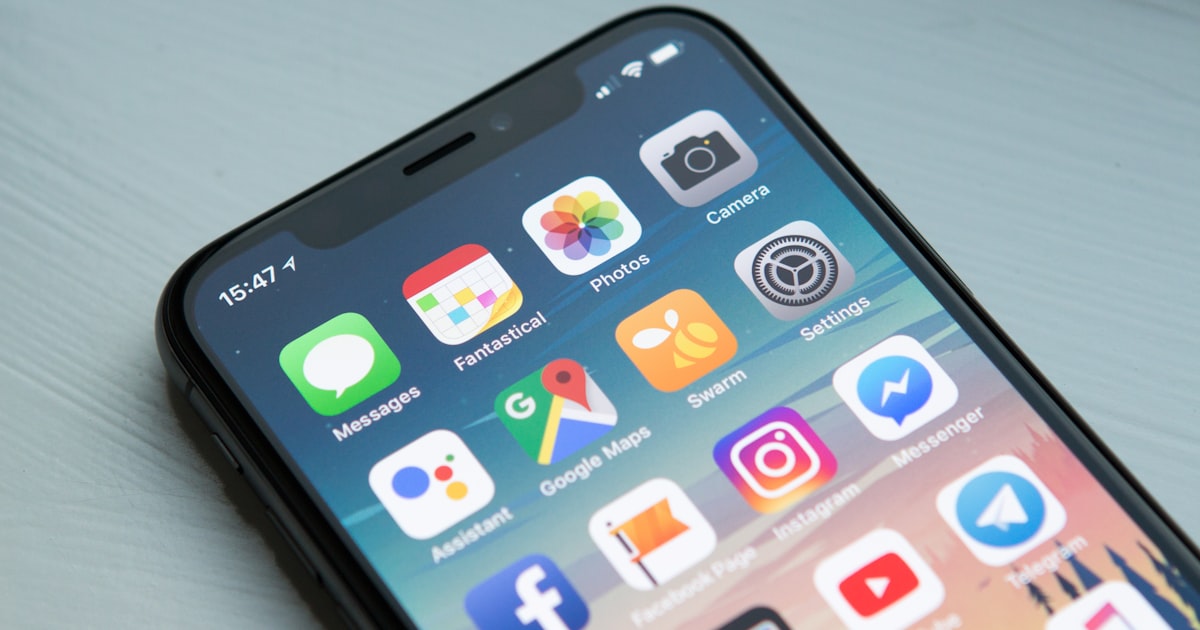
Best Digital Wellbeing Apps 2025: Complete Guide
Comprehensive review of the best digital wellbeing apps in 2025. Features, pricing, and honest recommendations.
UNDOOMED vs Opal: Complete Feature Comparison 2025
In-depth comparison of UNDOOMED and Opal. Features, pricing, effectiveness, and which suits your needs.

UNDOOMED vs One Sec: Which Approach Works Better?
Compare UNDOOMED's blocking approach vs One Sec's breathing exercises. Scientific analysis of effectiveness.